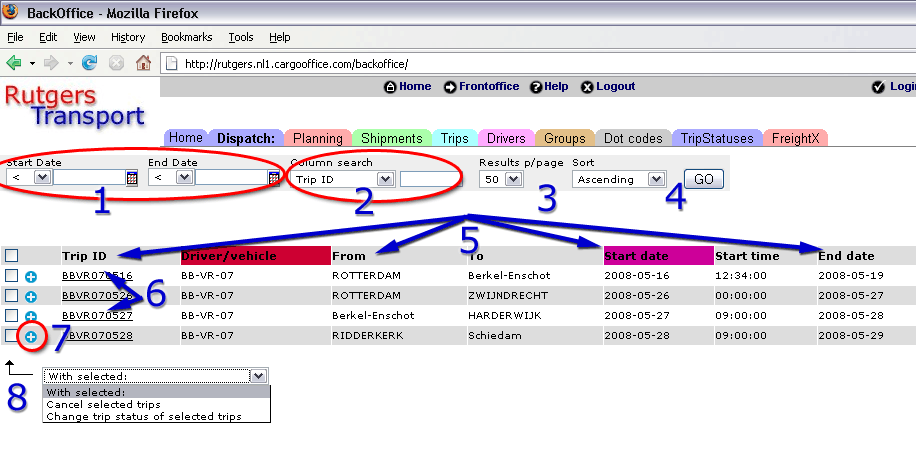
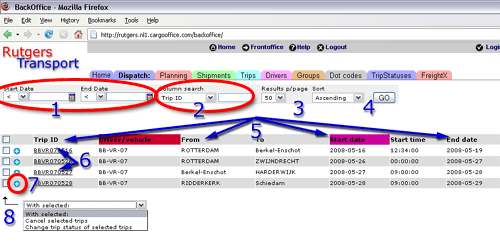
---++ Show Active Trips * Use either the menu option to see the active trips (Backoffice -> Dispatch -> Trips), or: * Click a node(driver or charter) in the left pane of the Dispach screen and the [Trips] button (also see: DispatchDocumentation) (example dispatch form with a selected node en the [Trips] button highlighted) ---++ Description of Trip Overview screen<br> <A HREF="%ATTACHURL%/tripoverview.gif"><img src="%ATTACHURLPATH%/tripoverview_kl.gif" title="Trip Overview (click for enlargement)" width="500" border="0" vspace="10"></A><br> * 1. Date select for trips. * 2. Column search for trip fields.<br> _Note_ : you can change the trip fields with parameter tripColumns (in Backoffice -> Settings -> Parameters -> Dispatch). * 3. Select trip results per page. * 4. Sort trip results ascending or descending. * 5. All displayed trip columns<br> _Note_ : see for sorting selection [[TracktraceOrderoverview][ Overview Active shipments]] #9.<br> _Note_ : you can change the trip fields with parameter tripColumns (in Backoffice -> Settings -> Parameters -> Dispatch). * 6. Details about this trip. More functionality, see: [[TripDetails][Trip Details]]. * 7. Trip status update function.<br> _Note_ : How to add new statusses, see e.g.: [[TripStatuses][Trip Statuses]]. * 8. Multiple trip functionality <br><br> -- Main.RutgerRutgers - 26 May 2008
Attachments
Attachments
Topic attachments
I
Attachment
History
Action
Size
Date
Who
Comment
gif
tripoverview.gif
r3
r2
r1
manage
37.6 K
2008-05-26 - 12:30
RutgerRutgers
Trip Overview
gif
tripoverview_kl.gif
r3
r2
r1
manage
30.7 K
2008-05-26 - 12:30
RutgerRutgers
Trip Overview small
This topic: Cargooffice
>
AboutFreecargo
>
FreightExchangeHowto
>
WebHome
>
DispatchDocumentation
>
TripDocumentation
>
ActiveTrips
Topic revision: r2 - 2008-10-13 - HenkRoelofs
Copyright © 2008-2025 by the contributing authors. All material on this collaboration platform is the property of the contributing authors.
Ideas, requests, problems regarding TWiki?
Send feedback